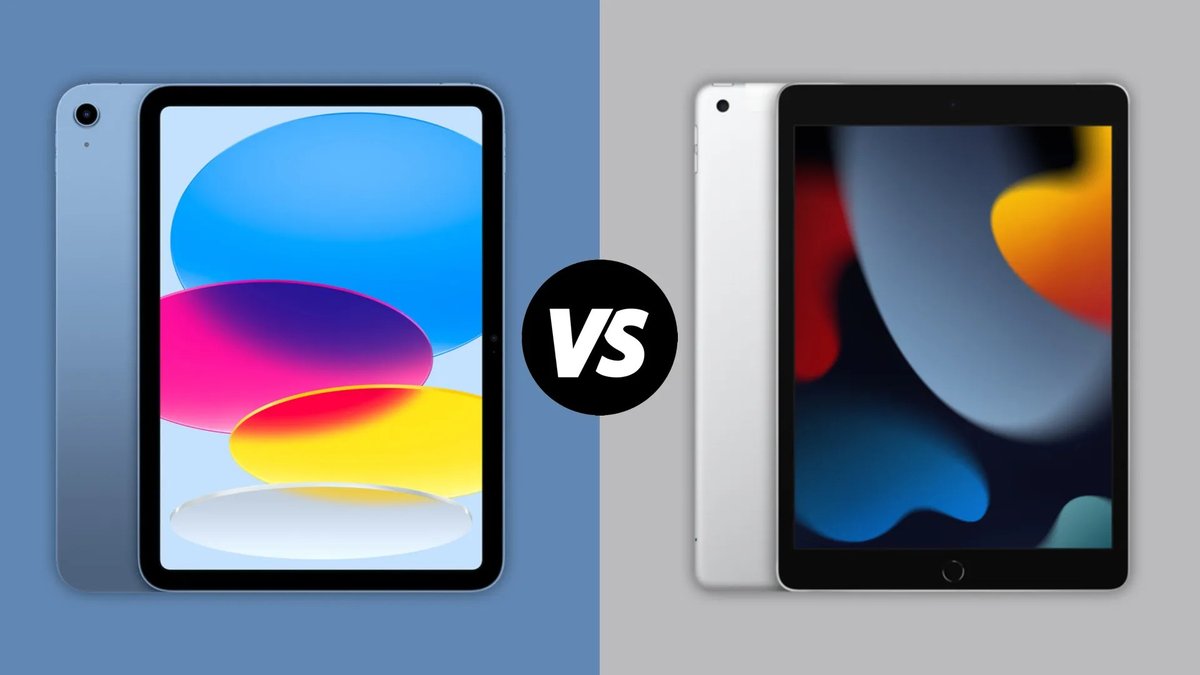
So, you've got an iPad 9th Gen—a fantastic, reliable tablet that brings a lot of power and versatility to the table without breaking the bank. It's perfect for everything from streaming your favorite shows and staying connected to tackling schoolwork, managing your small business, or diving into creative pursuits. But to truly unlock its full potential, transforming it from a great tablet into your go-to productivity or creativity hub, you need the right companions. We're talking about the best accessories for iPad 9th Gen that make daily tasks smoother, creative projects more intuitive, and your overall experience, well, just better.
Think of it like this: your iPad is the star, but accessories are the co-stars that help it shine even brighter. From robust protection to powerful input devices and portable chargers, selecting the right gear can significantly enhance how you use your tablet every single day.
At a Glance: Smart Accessory Choices for Your iPad 9th Gen
- Always Check Compatibility: Your iPad 9th Gen uses a Lightning port and is compatible with the Apple Pencil (1st Gen). The Magic Keyboard is not an option for this model.
- Protection is Paramount: A good case can save your iPad from everyday bumps and drops.
- Boost Productivity: A quality Bluetooth keyboard and mouse can turn your iPad into a mini-laptop.
- Unleash Creativity: An Apple Pencil (1st Gen) or Logitech Crayon, paired with a paper-feel screen protector, elevates note-taking and digital art.
- Stay Charged On-the-Go: High-capacity power banks and multi-port chargers are essential for busy users.
- Expand Capabilities: Stands, docks, and external storage transform your iPad's functionality.
First Things First: Ensuring Your Accessories Play Nicely
Before you hit "add to cart," remember that not all iPad accessories are created equal, and more importantly, not all are compatible with every iPad model. Your iPad 9th Gen has specific requirements that savvy shoppers always keep in mind.
Here’s what you need to confirm to ensure a perfect match:
- Your iPad Model Number: Flip your iPad over, and you'll find a small "A" followed by four digits (e.g., A2602, A2603, A2604, A2605 for the 9th Gen). You can also find this in Settings > General > About > Model Number. This is your definitive guide for accessory compatibility.
- Charging Port: The iPad 9th Gen, unlike newer iPad Air and Pro models, uses a Lightning port for charging and data transfer. This is crucial for selecting charging cables, some hubs, and even older Apple Pencil models.
- Screen Size: The iPad 9th Gen features a 10.2-inch display. Make sure cases, screen protectors, and stands are designed for this specific size.
- Apple Pencil Compatibility: This is a big one! The iPad 9th Gen works exclusively with the Apple Pencil (1st Generation). Newer versions like the Apple Pencil (2nd Gen), Apple Pencil Pro, or even the Apple Pencil (USB-C) have different pairing and charging mechanisms, and while the USB-C model can technically work with an adapter, the 1st Gen is the intended, seamless experience.
Now that we’ve covered the basics, let's dive into the accessories that will truly enhance your tablet. If you're comparing models, you might also be interested to Explore the iPad 10.2 9th generation.
Elevate Your Experience: Top Accessory Picks for iPad 9th Gen
Whether you're aiming to protect your device, boost your productivity, or unleash your inner artist, there’s an accessory out there that's tailor-made for your iPad 9th Gen.
Protection & Portability: Cases That Keep Your iPad Safe
A great case isn't just about aesthetics; it's about safeguarding your investment. For the iPad 9th Gen, you have a range of excellent choices.
- OtterBox Cases: If rugged protection is your top priority, OtterBox is a name you can trust. Known for their multi-layer designs and drop protection, an OtterBox case will shield your iPad from drops, bumps, and scratches, making it ideal for students, kids, or anyone who takes their iPad into more demanding environments. They often come with built-in screen protection and port covers.
- Apple Smart Cover: For a sleek, minimalist approach, the Apple Smart Cover is a classic. It magnetically attaches to the side of your iPad, protecting the screen when closed. It automatically wakes and sleeps your iPad, saving battery life, and folds into various positions to serve as a stand for typing, viewing, or FaceTime calls. Keep in mind, while elegant, it doesn't protect the back or sides of your iPad. It's perfect for those who want basic screen protection and a versatile stand.
(Note: The Apple Magic Keyboard is a fantastic accessory, but it’s designed for newer iPad Pro and Air models with the Smart Connector on the back. It is not compatible with the iPad 9th Gen.)
Viewing & Versatility: Stands and Docks
Using your iPad as a secondary screen, for video calls, or simply for hands-free viewing demands a good stand or dock.
- Twelve South HoverBar Duo: This isn't just a stand; it's a versatile positioning system. The HoverBar Duo features a strong, adjustable arm and a secure vice-grip tablet clip. It comes with two interchangeable attachments: a weighted desktop stand (over 2.5 lbs, capable of raising your iPad up to two feet) and a clamp attachment that securely fastens to surfaces between 0.4 and 1.4 inches thick. This allows you to use your iPad as a secondary monitor, a kitchen recipe book, or for perfectly angled video calls. The quick-release mechanism makes swapping between attachments a breeze.
- Satechi Hubs: While primarily designed for USB-C iPads, Satechi offers lightweight and versatile hubs that can prop up your iPad and expand its connectivity. For your Lightning-port iPad 9th Gen, you'd likely connect an adapter first, but the principle of a foldable, portable hub providing extra ports for USB-A devices, SD cards, and more is incredibly useful for turning your iPad into a more capable workstation. Remember that Apple provides limited MFi certification guidance for USB-C hubs, so always check reviews and brand reputation.
- Anker Stands & Docks: Anker is known for its reliable and affordable accessories. They offer a variety of stands and docks that are often more budget-friendly and lightweight than premium options, providing stable support and good viewing angles without breaking the bank.
Productivity Power-Up: Keyboards and Mice
Transform your iPad 9th Gen into a productivity powerhouse, almost a laptop replacement, with the right keyboard and mouse. Bluetooth is your friend here.
- Logitech MX Keys Mini Keyboard: This compact, $100 Bluetooth keyboard is a dream for anyone who types extensively. It can connect to up to three devices simultaneously, letting you switch seamlessly between your iPad, iPhone, or computer. Its standout features include an emoji picker for quick reactions and a dedicated mic mute key for video calls, making it perfect for both work and casual use.
- Logitech MX Anywhere 3S Mouse: Pairing a quality mouse with your keyboard completes the laptop-like experience. This lightweight (95 grams) and quiet travel mouse is incredibly versatile. It boasts an 8K DPI optical sensor that tracks accurately on virtually any surface, from glass desks to your jeans. Made from 61-78% post-consumer recycled plastic, it's also an eco-conscious choice. With 70 days of battery life per charge and lag-free Bluetooth connectivity, it's a reliable companion for your iPad 9th Gen.
Unleash Your Creativity: Stylus Options
For note-takers, sketch artists, or anyone who loves precision input, a stylus is indispensable. For the iPad 9th Gen, the Apple Pencil (1st Gen) is the native choice, but other options exist.
- Apple Pencil (1st Generation): This is the primary Apple Pencil compatible with your iPad 9th Gen. It pairs via the Lightning port and charges by plugging directly into your iPad's Lightning port (or via an adapter with a Lightning cable). It offers tilt and pressure sensitivity, delivering an incredibly natural drawing and writing experience. If you're serious about digital art or extensive note-taking, this is the gold standard for your device.
- Apple Pencil (USB-C): While designed for newer iPads with USB-C, this budget-friendly Apple Pencil can work with your iPad 9th Gen, but with a caveat: you'll need a USB-C to Apple Pencil Adapter to pair and charge it via your iPad's Lightning port. It offers precise input and tilt sensitivity but lacks pressure sensitivity and wireless charging. It also has a flat side for magnetic attachment, though this is primarily for storage on USB-C iPads, not charging on the 9th Gen.
- Logitech Crayon: A fantastic, more affordable alternative to the Apple Pencil (1st Gen), the Logitech Crayon is perfect for digital journal-keepers, students, and anyone on a budget. It offers tilt sensitivity for shading and a comfortable, ergonomic design. It charges via a Lightning or USB-C cable (depending on the specific Crayon model, so verify before purchase) but does not magnetically attach for charging or pairing to your iPad 9th Gen.
(Note: The Apple Pencil Pro, with its advanced features like "Squeeze" gesture and haptic feedback, is compatible only with the very latest iPad Pro and Air models and will not work with your iPad 9th Gen.)
Stay Powered Up: Chargers and Power Banks
Running out of battery is never fun. These power accessories ensure your iPad and other devices stay charged.
- Ugreen USB-C Charger (65W): A powerful wall charger is a must-have for modern digital life. This 65W option features two USB-C ports and one USB-A port, allowing you to fast-charge up to three devices simultaneously—your iPad, phone, and perhaps a pair of earbuds. Its fold-up prongs make it incredibly travel-friendly.
- Anker 537 PowerCore 24K Portable Charger: For power on the go, a high-capacity power bank is essential. The Anker 537 boasts a massive 24,000mAh capacity and a total output of 65W, making it robust enough to charge not just your iPad multiple times, but also laptops and other power-hungry devices. It includes dual USB-C ports and comes with a 2-foot USB-C to USB-C cable.
Protect Your Screen & Enhance Drawing: Screen Protectors
Beyond physical protection, screen protectors can also enhance your iPad experience, especially for creative work.
- Paperlike 2.1: If you use your Apple Pencil extensively for drawing or note-taking, the Paperlike 2.1 screen protector is a game-changer. This matte film is designed to mimic the tactile feel of pen on paper, adding a subtle friction and slight "scratchiness" that makes writing and drawing feel incredibly natural. It comes in a two-pack and won't interfere with Face ID (though the iPad 9th Gen uses Touch ID). Be aware that it may impart a slight blur to the display, which some users find a worthwhile trade-off for the improved pen feel.
- Magnetic Covers: For those who want the "paper feel" for drawing but prefer a clear screen for media consumption, magnetic screen covers offer a clever solution. They provide a textured surface when attached but can be easily removed in seconds for a pristine, clear display.
Expand Your Storage: External SSDs
While cloud storage is popular, physical external storage offers speed and reliability, especially for large files.
- Samsung T7 External SSD: Compact and lightning-fast, the Samsung T7 is an excellent choice for expanding your iPad's storage. Available in capacities up to 2TB, this pocket-sized SSD (about 3x2 inches and weighing only 2 ounces) delivers rapid read and write speeds via USB-C. You'll need a Lightning to USB-C adapter or hub for your iPad 9th Gen to connect it, but once set up, it's perfect for carrying large project files, photo libraries, or video edits with you.
Immersive Audio: Earbuds
For private listening, video calls, or simply tuning out the world, quality earbuds are a must.
- Apple AirPods Pro (2nd Generation): While not exclusively for the iPad, the AirPods Pro (2nd Gen) offer a premium audio experience that seamlessly integrates with your iPadOS ecosystem. Powered by Apple's H2 chip, they deliver enhanced active noise cancellation, immersive spatial audio, and incredibly crisp sound. They sync effortlessly with your iPad, include multiple eartips for optimal fit, and even feature an "Ear Tip Fit Test" to ensure you get the best seal and sound quality.
What to Look For: Smart Choices for Your iPad Accessories
With so many options out there, how do you choose the right accessory for you? It comes down to a few key considerations.
Function First: What's Your Main Mission?
Before buying, ask yourself: what problem is this accessory solving, or what experience is it enhancing?
- Laptop Replacement: If you're hoping to handle emails, documents, and light creative work on the go, a good keyboard, mouse, and stand are essential.
- Creative Hub: For artists and note-takers, prioritize a high-quality stylus (like the Apple Pencil 1st Gen) and a paper-feel screen protector.
- Casual Companion: If your iPad is mainly for browsing, streaming, and light use, a protective case and a basic stand might be all you need.
- Always On-the-Go: A robust power bank and a multi-port wall charger will be your best friends for travel and busy days.
Compatibility is Non-Negotiable
We can't stress this enough. Always, always, always double-check that an accessory is specifically listed as compatible with the iPad 9th Gen (10.2-inch, Lightning port, Apple Pencil 1st Gen). A quick look at the product description or a chat with customer service can save you a major headache. Third-party accessories often list compatible iPad model numbers (like A2602) in their descriptions.
Trustworthy Third-Party Brands Are Your Allies
While Apple's own accessories are often top-tier, reputable third-party brands offer excellent quality and value. Companies like Anker, Belkin, and Logitech consistently produce high-quality accessories, some of which are even certified by Apple (MFi – Made for iPhone/iPad/iPod). These brands often innovate in ways Apple doesn't, providing more features or better value. Avoid no-name, super-cheap products, especially for chargers and cables, as they can sometimes damage your device.
Don't Skimp on Quality (Especially Chargers & Cables)
While it's tempting to save a few dollars, especially on cables and chargers, this is where quality matters most. A poorly made charger can deliver inconsistent power, damage your iPad's battery, or even pose a fire risk. Aim to spend at least $15 for a quality cable or wall charger from a reputable brand to ensure safety, efficiency, and longevity.
Your Burning Questions Answered: iPad Accessories FAQ
What accessories do iPads come with?
All current iPad models, including your iPad 9th Gen, come with the essentials: a 1-meter USB-C charging cable and a 20W USB-C power adapter. Keep in mind that for your 9th Gen iPad (which has a Lightning port), you'll likely want to use the provided USB-C power adapter with a USB-C to Lightning cable (which is often purchased separately or you might already have one from an older iPhone/iPad). Other useful accessories like the Apple Pencil, keyboards, cases, and headphones are always purchased separately.
Is an iPad with a keyboard a full laptop replacement?
For many people, yes! An iPad 9th Gen paired with a quality keyboard and mouse can absolutely replace a traditional laptop for a wide range of tasks. This includes managing emails, writing documents, taking notes, scheduling, and even doing professional creative work with apps like Procreate (for art) or video editing tools. Recent updates to iPadOS have significantly improved file management and multi-app functionality, making the iPad a more capable computing device than ever.
However, there are still limitations. Gamers will primarily be limited to iOS games, and dedicated laptops generally offer more internal storage, higher-quality GPUs, and more powerful CPU specs for extremely demanding professional software or high-end PC gaming. But for day-to-day productivity and many creative workflows, an iPad 9th Gen with the right accessories is a powerful, portable, and often more intuitive alternative.
Ready to Gear Up? Final Thoughts on Enhancing Your iPad 9th Gen
Your iPad 9th Gen is a fantastic foundation, but its true potential often lies in the accessories you pair with it. By carefully choosing products that align with your specific needs—whether it's bulletproof protection, seamless productivity tools, or precision creative instruments—you can elevate your tablet experience from good to absolutely exceptional. Invest wisely, prioritize compatibility, and enjoy a more versatile, powerful iPad experience every single day.