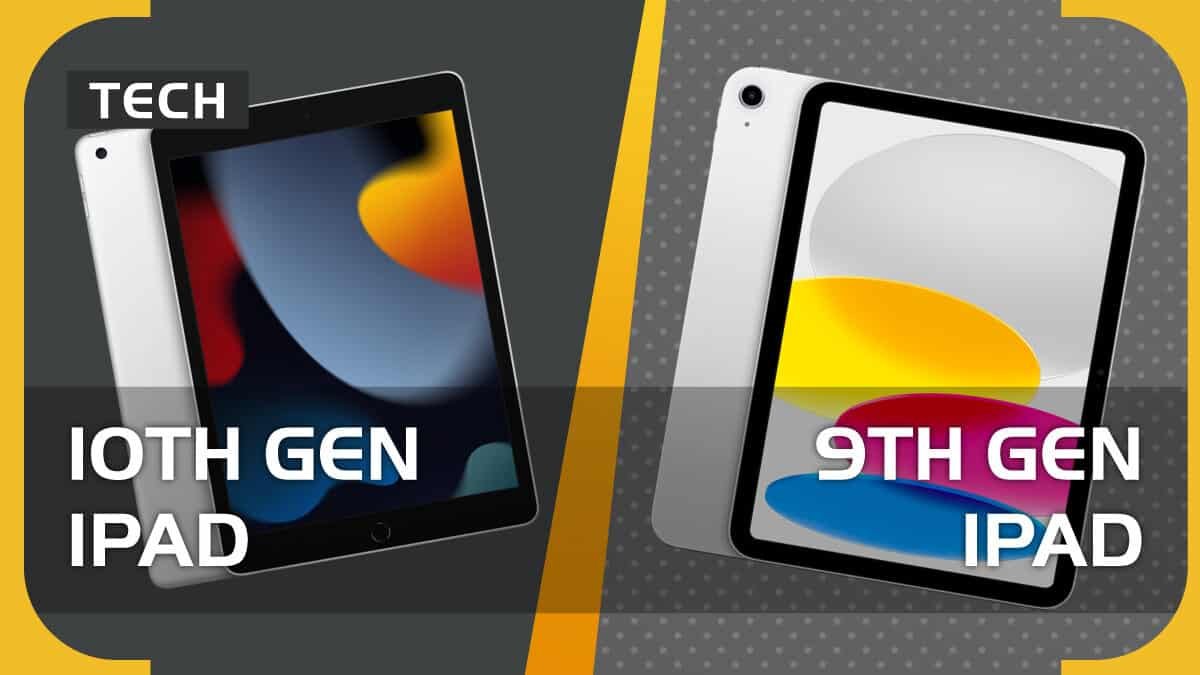
The iPad 9th generation, for years, held a comfortable spot as Apple's entry-level tablet, a reliable workhorse for many. But with new iPads on the horizon and a robust ecosystem of competitors, figuring out your next tablet means diving into a world of "iPad 9th Gen Comparisons & Alternatives." Whether you're an Apple loyalist curious about what else is out there, or someone new to tablets looking for the best fit for your budget and needs, navigating this landscape can feel overwhelming. This guide cuts through the noise, offering an expert perspective on how the 9th Gen stacks up and which alternatives truly deliver.
At a Glance: Key Takeaways for Your Tablet Search
- iPad 9th Gen's Enduring Value: Still a solid, budget-friendly option for basic tasks, media consumption, and light productivity within the Apple ecosystem.
- Why Explore Alternatives? Newer Apple models offer design, performance, and accessory upgrades. Android and Windows tablets provide OS flexibility, diverse features, and often better value for specific use cases like gaming, high-end productivity, or niche entertainment.
- Top Android Contenders: Samsung's Galaxy Tab S series directly rivals iPad Pro/Air with stunning AMOLED displays, powerful processors, and S-Pen integration. Brands like OnePlus, Xiaomi, and Honor offer compelling mid-range and entertainment-focused options.
- Windows for Work: The Microsoft Surface Pro line stands out as the premier iPad Pro alternative for professionals needing full desktop software compatibility and versatility.
- Gaming on the Go: Dedicated gaming tablets like the Lenovo Legion Tab Gen 3 and RedMagic Nova deliver superior refresh rates and processing power tailored for immersive gameplay.
- Budget-Conscious Choices: Tablets from Amazon, Xiaomi, and older Samsung generations offer great value without breaking the bank, though they may come with certain compromises.
- Key Decision Factors: Prioritize display quality, processing power, battery life, software ecosystem, and accessory support based on your primary use.
The Enduring Appeal of the iPad 9th Gen: A Familiar Friend
Let's face it, the iPad 9th generation (released in 2021) has been a steadfast companion for many. Its A13 Bionic chip, the same one found in the iPhone 11 Pro, still offers capable performance for everyday tasks, web browsing, video streaming, and even some lighter gaming or creative work. The classic 10.2-inch Retina display, while not as cutting-edge as newer models, is bright and clear enough for most content. Its greatest strength, arguably, lies in its integration with Apple's vast ecosystem—thousands of optimized apps, seamless connectivity with other Apple devices, and familiar user experience. For many, it's the gateway into the world of iPads, and for good reason. For a deeper dive into its features, you can always Discover the iPad 9th generation.
However, time marches on. The 9th Gen's design, with its chunky bezels and Home button, feels a bit retro compared to modern tablets. Its non-laminated display, while functional, lacks the premium "display is right on top of the glass" feel. It only supports the first-generation Apple Pencil and still relies on the Lightning port, unlike the universal USB-C found on newer models. These aren't dealbreakers for everyone, but they are points where competitors, and even newer iPads, have pulled ahead.
Why Look Beyond Apple? Understanding Your Tablet Needs
Before we compare, let's clarify why you might be looking for alternatives. It’s rarely about hating Apple; it’s about finding the perfect tool for your specific job. Your ideal tablet hinges on a few key decision criteria:
- Operating System Preference: Are you tied to iOS, or are you open to the customization of Android or the full desktop power of Windows? Each OS offers a distinct experience.
- Budget: Tablets range from a couple of hundred dollars to well over a thousand, often before accessories. How much are you willing to spend for features you'll actually use?
- Primary Use Case:
- Productivity: Do you need to replace a laptop for email, documents, spreadsheets, and serious multitasking?
- Entertainment: Is your main goal watching movies, reading, social media, and casual games?
- Creative Work: Are you drawing, photo editing, or video editing?
- Gaming: Do you crave high refresh rates, powerful processors, and responsive controls for demanding titles?
- Portability: How important is a lightweight design and compact size?
- Ecosystem Integration: Do you already own other devices (phone, laptop) that you want your tablet to seamlessly work with?
- Longevity & Updates: How long do you expect to keep the device, and how important are regular software and security updates?
By answering these questions, you'll narrow down the vast field of options and identify which alternatives truly stack up against (or surpass) the iPad 9th Gen for your needs.
Direct Apple Comparisons: The iPad Landscape Beyond the 9th Gen
Before jumping ship to another brand, it’s worth considering Apple’s own upgrades. The iPad lineup has diversified significantly, offering options that build upon the 9th Gen's foundation.
iPad 10th Gen vs. iPad 9th Gen: A Modern Makeover
The 10th generation iPad, released in late 2022, represents Apple's refresh of the entry-level model. It brings a host of welcome upgrades:
- Modern Design: Gone are the thick bezels and Home button, replaced by a sleek, all-screen design, flatter edges, and a larger 10.9-inch Liquid Retina display.
- USB-C Port: A major quality-of-life improvement, allowing for universal charging and better accessory compatibility.
- A14 Bionic Chip: A step up from the A13, offering a noticeable performance boost for more demanding apps and multitasking.
- Landscape Front Camera: Perfect for video calls, as the camera is now positioned on the long edge, making it feel more natural when used with a keyboard.
- New Accessories: Supports the Magic Keyboard Folio, offering a better typing experience and trackpad.
However, the 10th Gen has its quirks. It still uses the first-generation Apple Pencil, requiring an awkward USB-C to Lightning adapter to charge, and its price jumps considerably from the 9th Gen. If budget is your absolute top priority and you don't mind the older design, the 9th Gen remains a strong value. But for a more modern experience, the 10th Gen is a compelling upgrade within the Apple family.
iPad Air (Various Gens) vs. iPad 9th Gen: Stepping Up Performance and Design
The iPad Air series occupies the sweet spot between the entry-level iPads and the professional-grade Pros. Compared to the 9th Gen, any iPad Air (especially the M1 or M2 versions) offers:
- Significant Performance Boost: Equipped with M-series chips (or A14/A15 in older Air models), they deliver vastly superior performance, ideal for heavy multitasking, demanding games, and creative applications.
- Premium Display: Laminated Liquid Retina displays with anti-reflective coatings and P3 wide color support make for a much more immersive and comfortable viewing experience.
- Sleek Design: Thinner bezels, flatter edges, and a lighter chassis.
- Apple Pencil 2 Support: Snaps magnetically to the side for charging and pairing, a far more convenient solution.
- USB-C & Wider Accessory Support: Better connectivity and compatibility with a broader range of peripherals.
If your budget allows and you need more power, a better display, or plan on using the Apple Pencil frequently, an iPad Air is a substantial upgrade from the 9th Gen, offering a more premium experience for both work and play.
iPad Pro (Various Gens) vs. iPad 9th Gen: The Ultimate Power Leap
Comparing the iPad 9th Gen to an iPad Pro is almost unfair—they target completely different users. The iPad Pro line is Apple's flagship, designed for professionals who demand the absolute best:
- Unmatched Performance: Powered by cutting-edge M-series chips (M2, M4), these are desktop-class processors in a tablet form factor, capable of handling 4K video editing, complex 3D rendering, and serious multitasking with ease.
- Stunning Displays: Liquid Retina XDR (mini-LED) on the larger Pro models, ProMotion (120Hz adaptive refresh rate) on all Pros, offering incredible brightness, contrast, and fluidity.
- Advanced Features: Face ID, Thunderbolt/USB 4 for high-speed data transfer, superior camera systems (including LiDAR scanner), and a four-speaker audio setup.
- Professional Accessories: Supports the Magic Keyboard with a built-in trackpad, transforming it into a legitimate laptop alternative.
For most casual users, the iPad Pro is overkill. But if you’re a creative professional, a heavy multitasker, or someone who wants to push the boundaries of what a tablet can do, the iPad Pro offers a level of performance and features the 9th Gen can't even dream of.
iPad Mini vs. iPad 9th Gen: Portability Redefined
The iPad Mini focuses on extreme portability. Compared to the 9th Gen:
- Compact Size: Its 8.3-inch Liquid Retina display makes it incredibly easy to hold with one hand and slip into a small bag.
- A15 Bionic Chip: Offers significantly more power than the 9th Gen, making it surprisingly capable for its size.
- Apple Pencil 2 Support: Just like the Air and Pro, it supports the more advanced second-generation Apple Pencil.
- USB-C: Modern connectivity.
The Mini is fantastic for reading, gaming on the go, and quick note-taking. However, its smaller screen might be less ideal for extensive typing or split-screen multitasking. It’s also known for a slight "jelly scrolling" effect, though many users find it negligible. If portability is paramount, the Mini is a powerful little device.
Top iPad 9th Gen Alternatives: Diving Deep into the Android & Windows World
Stepping outside Apple's ecosystem opens up a universe of innovation, diverse form factors, and often more competitive pricing. Here are the top alternatives, categorized by their strengths and target users.
Premium Android Powerhouses: Samsung's Galaxy Tab S Series
Samsung's flagship tablets are arguably the closest Android comes to challenging the iPad Pro and Air. They offer gorgeous displays, excellent performance, and a robust accessory ecosystem.
Samsung Galaxy Tab S10 Ultra: The Behemoth Contender
If you're looking for a truly massive screen for multimedia and pro-level work, the Samsung Galaxy Tab S10 Ultra is a direct challenger to the largest iPad Pro.
- Jaw-Dropping Display: A 14.6-inch AMOLED display with anti-reflection coating and 930 nits peak HDR brightness. This screen is a visual feast, perfect for movies, complex workflows, and digital art.
- Power for Pros: Powered by the MediaTek Dimensity 9300+ processor, it delivers significant CPU and GPU boosts, making it excellent for gaming and video editing. While Apple's M4 chips may edge it out in some benchmarks, real-world performance is incredibly fluid.
- Premium Features: IP68 water/dust resistance for durability, and an included S-Pen that's a joy to use and comparable to the Apple Pencil.
- Value Proposition: Often considerably cheaper than the 13-inch iPad Pro, offering a high-end experience without the Apple premium.
Samsung Galaxy Tab S10+: The Balanced Flagship
The Samsung Galaxy Tab S10+ slots in as a premium alternative to both the 13-inch iPad Pro and iPad Air.
- Stunning Visuals: Features a beautiful 12.4-inch AMOLED display, offering rich colors and deep blacks for any content.
- Solid Performance: Equipped with a MediaTek processor, it provides strong performance for gaming, productivity, and everyday use.
- Long-Term Support: Backed by an impressive 7 years of software updates, ensuring your device remains current for a long time.
- Included S-Pen: Comes with a capable S-Pen, and a decent camera setup rounds out its premium package. Like its Ultra sibling, it's often significantly cheaper than comparable iPad Pro models.
Samsung Galaxy Tab S9 Series (S9, S9+, S9 Ultra): The 11-inch & More Alternative
For those seeking an 11-inch form factor, the Samsung Galaxy Tab S9 series (S9, S9+, S9 Ultra) is the direct competitor to the 11-inch iPad Pro and iPad Air, as no 11-inch S10 series was released.
- Vibrant Display: The base S9 features an 11-inch AMOLED display, a significant advantage over the non-laminated LCDs of entry-level iPads.
- Flagship Power: Powered by the Snapdragon 8 Gen 2 processor, it offers excellent performance for demanding tasks.
- Unbeatable Value: Often available for less than half the price of an 11-inch iPad Pro and cheaper than the 11-inch iPad Air, making it an incredible value proposition.
- Durability & Features: Receives updates up to Android 17, includes the versatile S-Pen, boasts an IP68 rating for water and dust resistance, good speakers, and fingerprint readers. Optional keyboard covers enhance productivity.
Productivity Powerhouses: Microsoft Surface Pro 11
When your tablet needs to truly replace a laptop, especially for desktop applications, Windows is the undeniable choice.
Microsoft Surface Pro 11: The Workhorse for Professionals
The Microsoft Surface Pro 11 is the undisputed best iPad Pro alternative for work.
- Full Windows 11 Experience: Runs full Windows 11, offering unparalleled software compatibility and flexibility for demanding desktop apps like the full version of Photoshop, CAD software, and extensive coding environments.
- Chipset Options: Available with either the Snapdragon X Plus (with an IPS display) or the more powerful Snapdragon X Elite (with a vibrant OLED display, boasting over 500 nits SDR brightness). An Intel version is also available for business users needing specific legacy software support.
- Exceptional Battery Life: Offers impressive battery life, exceeding 14.5 hours for light web browsing, ensuring you stay productive throughout your workday.
- Modular Design: Its kickstand and detachable keyboard (an additional $140, on top of the $999 base price) transform it into a highly versatile 2-in-1 device.
If you need a tablet that can be a laptop without compromise, the Surface Pro 11 is your best bet, offering flexibility and power that no other tablet OS can match.
Strong Mid-Range & Performance-Focused Android Tablets
These alternatives aim for a sweet spot of performance, features, and price, often competing directly with the iPad Air and 10th Gen iPads.
OnePlus Pad 3 (or Pad 2): A Worthy iPad Air Challenger
The OnePlus Pad 3 (or Pad 2) presents a strong alternative to the 13-inch iPad Air.
- Excellent Display & Sound: Features a large 13.2-inch (or 12.1-inch with a unique 7:5 aspect ratio) high-refresh LCD display and excellent speakers, perfect for entertainment and productivity.
- Incredible Performance: Powered by the Snapdragon 8 Elite or Qualcomm Snapdragon 8 Gen 3, it offers performance truly comparable to the iPad Air 13-inch.
- Marathon Battery Life: Boasts nearly double the battery life of the iPad Air, a huge advantage for extended use.
- Long-Term Support: Receives an impressive 7 years of security updates (until 2031).
- Competitive Pricing: The Pad 2 is priced competitively at $550. While its stylus and keyboard are solid, they might feel slightly less refined than Apple's or Samsung's premium offerings.
Honor MagicPad 2: Entertainment with a Punch
The Honor MagicPad 2 positions itself as an affordable 13-inch iPad Pro alternative, especially for entertainment lovers.
- Brilliant OLED Display: Features a 12.3-inch, 1000 nits OLED display that's brighter than much of the Samsung competition, offering stunning visuals.
- Immersive Audio & Battery: Delivers great speakers and very long battery life, making it ideal for movie marathons and gaming sessions. It also supports a good stylus.
- Solid Performance: Powered by the Snapdragon 8s Gen 3, it offers capable performance for most tasks.
- Software Limitation: A key drawback is its limited software support: a maximum of 3 years of security updates and likely no Android version updates after Android 15. This is a trade-off for its otherwise excellent hardware and price point.
Xiaomi Pad 7: A Fantastic iPad 11 Alternative
The Xiaomi Pad 7 offers a compelling package for those eyeing an entry-level iPad (like the 10th Gen iPad, referred to as 'iPad 11' in the context).
- Superior Display: Features a high refresh rate, fully laminated 11-inch display. This is a significant upgrade from the iPad 10th Gen's non-laminated display, offering a more premium feel and better visual clarity.
- Value Performance: With an MSRP of $400, it offers excellent performance (though slightly less than the pure raw power of the A14 in the iPad 10th Gen), a great display, and a strong speaker setup.
- Software Caveat: The main drawback is the lack of committed software support, which means Android version updates and security patches might be less consistent compared to premium brands.
Gaming & Niche Alternatives
For specific use cases like dedicated gaming or compact power, these tablets stand out.
Lenovo Legion Tab Gen 3: The Ultimate iPad Mini Alternative
Marketed as a high-end gaming tablet, the Lenovo Legion Tab Gen 3 is designed to compete directly with and even surpass the iPad Mini.
- Gaming Beast: Features a flagship Snapdragon 8 Gen 3 SoC and 12GB RAM, offering performance close to the iPad Mini.
- Superior Display for Gaming: Its 165Hz refresh rate display is a dream for gamers, and crucially, it avoids the "jelly scrolling" issue sometimes seen in the iPad Mini.
- Enhanced Storage & Battery: Offers double the base storage (256GB vs. 128GB on the iPad Mini) and a significant 50% better battery life, ensuring longer gaming sessions.
- Minor Drawbacks: Lacks 5G support and an SD card slot, which might be a consideration for some. If gaming in a compact form factor is your priority, this is a strong contender.
RedMagic Nova: Dedicated Gaming Powerhouse
For serious mobile gamers who want an Android-specific experience, the RedMagic Nova delivers exceptional value.
- Premium Gaming Design: Features a premium aerospace-grade aluminum chassis and a focus on gaming aesthetics.
- High-Refresh Display: Boasts a 10.9-inch 2880 x 1800 (2.8K) LCD display with a blistering 144Hz refresh rate, ensuring silky-smooth visuals.
- Top-Tier Performance: Powered by the Qualcomm Snapdragon 8 Gen 3 "Leading Version" chipset, it's potentially the fastest Android tablet for gaming.
- Massive Battery & Fast Charging: An impressive 10,100mAh battery paired with 80W fast charging means you can get a full charge in under an hour.
- Considerations: Starting at $499, it offers incredible specs but has some drawbacks, including less-than-ideal color calibration and potential heat generation during prolonged, high-performance use.
Budget-Friendly & General Use Alternatives
Sometimes, simplicity and affordability are key. These tablets offer great value for everyday tasks.
Amazon Fire Max 11: The Affordable All-Rounder
The Amazon Fire Max 11 is a reasonably priced, general-use tablet that excels at media consumption and light productivity.
- Efficient for Everyday: Handles everyday tasks efficiently, making it a great choice for web browsing, streaming, and email.
- Optional Accessories: With an optional keyboard and stylus, it can transform into a decent productivity tool.
- Value Proposition: Offers good value, especially when bundled with accessories during Amazon's frequent promotions.
- Key Limitations: Its 60Hz refresh rate is a drawback compared to many modern tablets, and while the Amazon App Store has limitations, the Google Play Store can be unofficially installed for a wider app selection. If budget and basic functionality are your primary concerns, the Fire Max 11 is a solid choice.
Key Considerations When Choosing Your Tablet
With so many options, how do you make the right call? Revisit your needs and weigh these factors carefully:
1. Operating System Ecosystem
- iOS (Apple): Polished, intuitive, highly secure, vast app ecosystem with excellent tablet optimization. Best for users already in the Apple ecosystem.
- Android (Samsung, OnePlus, Xiaomi, etc.): Highly customizable, open, diverse hardware options. Can feel less optimized for tablets than iOS, but is rapidly improving, especially with premium devices.
- Windows (Microsoft Surface): Full desktop OS, unparalleled software compatibility, best for true laptop replacement. Tablet mode can feel less refined than dedicated tablet OSes.
2. Display Quality
- Laminated vs. Non-Laminated: Laminated displays (where the screen and glass are fused) reduce glare and parallax, making the image appear closer to the surface. The iPad 9th Gen is non-laminated; most alternatives listed here are laminated.
- Refresh Rates: 60Hz (iPad 9th Gen, Fire Max 11) is standard. 90Hz, 120Hz, 144Hz, or 165Hz (gaming tablets) offer significantly smoother scrolling and responsiveness.
- OLED vs. LCD: OLED (many Samsung, Honor, Surface Pro 11 OLED option) offers perfect blacks, incredible contrast, and vibrant colors. LCD (many iPads, OnePlus, RedMagic) is generally very good but won't match OLED's contrast.
- Brightness (nits): Higher nits mean better outdoor visibility and more impactful HDR content.
3. Processor & Performance
- Apple A-series/M-series: Generally industry-leading in raw power and efficiency, especially the M-series.
- Qualcomm Snapdragon/MediaTek Dimensity: Top-tier chips like Snapdragon 8 Gen 2/3 and Dimensity 9300+ offer excellent performance, often rivaling older A-series chips. For everyday use, most modern mid-range chips are more than sufficient.
- Your Workload: If you're just browsing and streaming, a powerful chip isn't a priority. For video editing, 3D work, or competitive gaming, invest in the best processor you can afford.
4. Battery Life
This is crucial for portability. Check independent reviews for real-world battery performance, as manufacturer claims can be optimistic. Look for devices offering 10+ hours of mixed use.
5. Accessories
- Stylus: Do you need one? How good is it? Is it included (Samsung) or an extra purchase (Apple, Surface)? How does it charge?
- Keyboard Cases: Essential for productivity. Are they comfortable, backlit, and do they include a trackpad? How do they attach and power?
6. Software Updates & Longevity
- Apple: Renowned for long-term software support, often 5-7+ years of major iOS updates.
- Android: Varies wildly. Samsung and OnePlus now offer 7 years of security updates and multiple OS upgrades on their flagships, rivaling Apple. Other brands might offer 2-3 years, or even less.
- Windows: Microsoft typically supports Windows for many years, but hardware might become obsolete sooner.
7. Portability & Design
- Weight & Thickness: Crucial if you carry your tablet everywhere.
- Build Materials: Metal (premium) vs. plastic (budget).
- Port Selection: USB-C is becoming standard and offers versatility. Lightning (iPad 9th Gen) is proprietary.
8. Price & Value
Always consider the total cost of ownership, including essential accessories like a stylus and keyboard. A cheaper tablet might end up costing more if you need to buy expensive first-party add-ons.
Common Questions & Misconceptions
"Is the iPad 9th Gen still good in 2025?"
Absolutely, for its intended audience. If your needs are basic—email, web, streaming, light note-taking, and casual games—the iPad 9th Gen still offers tremendous value within the Apple ecosystem. It’s a workhorse, not a racehorse. Its performance, while not cutting-edge, is more than sufficient for these tasks, and it will continue to receive software updates for a few more years.
"Can Android tablets truly replace a laptop?"
For many users, yes, especially the premium Android tablets like the Samsung Galaxy Tab S series with their DeX desktop environment, or the OnePlus Pad with its powerful chip and keyboard support. However, they are generally best for cloud-based productivity and web apps. If you need full-fledged desktop software like specific CAD programs or professional video editing suites, a Windows tablet like the Microsoft Surface Pro is the only true laptop replacement.
"Do I need a Pro tablet for drawing or creative work?"
It depends on your level. For casual sketching, note-taking, or basic photo editing, most modern tablets with a good stylus (including the iPad 9th Gen with Apple Pencil 1) will suffice. For professional illustration, animation, or heavy video editing, the superior processing power, larger RAM, and more advanced displays (ProMotion, XDR) of an iPad Pro or a high-end Samsung Tab S series are highly recommended.
"What about security updates for Android tablets?"
This varies greatly. Premium Android manufacturers like Samsung and OnePlus have significantly improved their update policies, offering 5-7 years of security updates for their flagship devices. This rivals Apple's support. However, budget and lesser-known Android brands might offer limited or no long-term software support, which is a critical consideration for device longevity and security. Always check the manufacturer's commitment.
Making Your Smart Tablet Choice
The journey through "iPad 9th Gen Comparisons & Alternatives" reveals a landscape richer and more diverse than ever before. The iPad 9th Gen remains a commendable entry point, but the world of tablets has evolved rapidly, offering specialized devices for every need and budget.
Your ultimate decision boils down to a clear understanding of your priorities. If you value seamless integration with Apple's ecosystem, rock-solid reliability, and a vast app library for everyday tasks, the iPad 9th Gen or a newer iPad model might still be your best bet. However, if you're seeking:
- Desktop-level productivity and full software compatibility, the Microsoft Surface Pro 11 is unmatched.
- Stunning OLED displays, included styluses, and long software support in the Android realm, Samsung's Galaxy Tab S series offers incredible value, often at a lower price than Apple's premium tiers.
- Powerful performance and exceptional battery life that challenges the iPad Air, the OnePlus Pad 3 is a dark horse contender.
- Unparalleled gaming experiences in a compact form, look to the Lenovo Legion Tab Gen 3 or RedMagic Nova.
- A superior display and solid performance on a budget, the Xiaomi Pad 7 delivers.
- Affordable entertainment and basic functionality, the Amazon Fire Max 11 remains a strong choice.
Don't let brand loyalty blind you to innovation. By aligning your budget, use case, and operating system preference with the detailed comparisons and alternatives provided here, you're now equipped to make an informed, confident choice for your next device. The perfect tablet isn't about the name on the back; it's about the tool that empowers you.