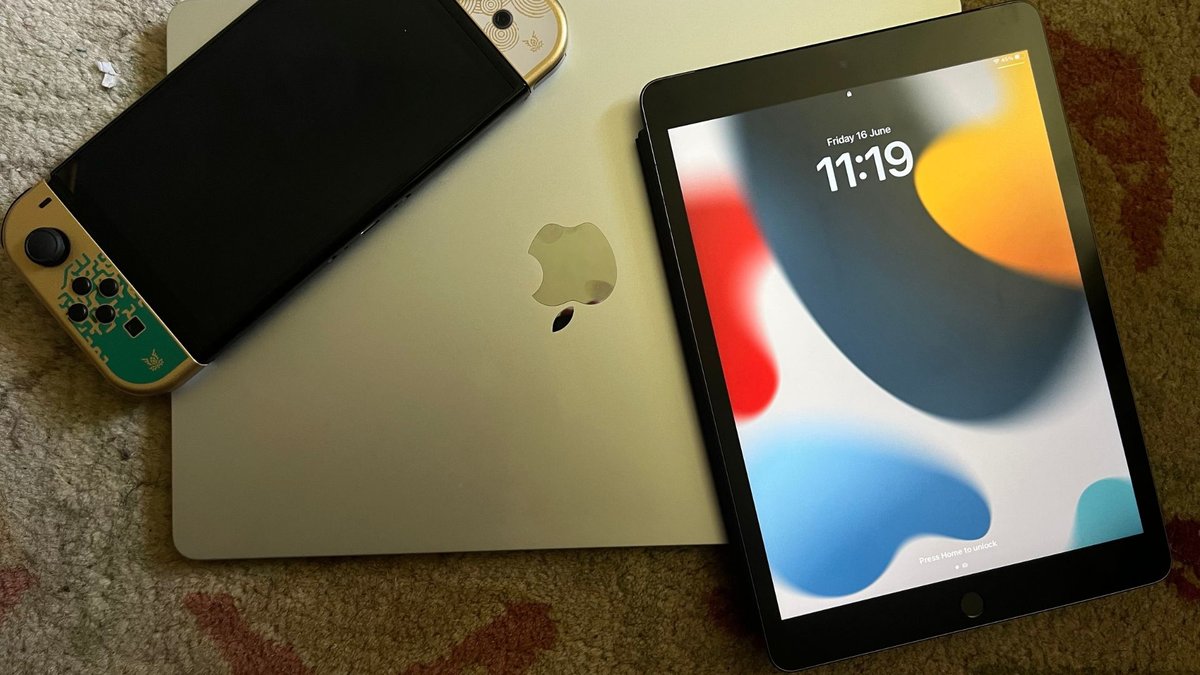
The iPad 9th Gen isn't just another tablet; it's a testament to Apple's ability to deliver consistent, reliable performance at an accessible price point. When we talk about its core, we're delving into the iPad 9th Gen Technical Specifications & Performance, uncovering why this model remains a compelling choice for so many users, even years after its initial release. It’s a device that understands the assignment: deliver a robust Apple experience without breaking the bank.
At a Glance: The iPad 9th Gen Essentials
- Display: A vibrant 10.2-inch Retina display with True Tone technology. Not the flashiest, but certainly effective.
- Processor: The capable A13 Bionic chip, bringing serious power for everyday tasks and more.
- Cameras: An 8MP wide back camera and a 12MP Ultra Wide front camera with Center Stage. Great for video calls!
- Storage: Starting at 64GB, with a 256GB option for those who need more space.
- Connectivity: Wi-Fi (802.11ac) and optional LTE for on-the-go access. Bluetooth 4.2 for accessories.
- Battery Life: Up to 10 hours of web surfing or video playback.
- Compatibility: Supports Apple Pencil (1st generation) and the Smart Keyboard.
- Value: Often considered the sweet spot for budget-conscious buyers seeking Apple’s ecosystem.
The Enduring Appeal of the iPad 9th Gen: A Workhorse Defined
In a market saturated with options, the iPad 9th Generation carved out a unique niche as the reliable workhorse. It wasn’t designed to push boundaries with bleeding-edge technology, but rather to perfect the fundamentals. Apple focused on delivering a smooth, intuitive experience, making it an ideal choice for a vast array of users, from students tackling essays to grandparents enjoying video calls with family.
This iPad’s success lies in its balanced approach: powerful enough for most tasks, user-friendly for everyone, and robust enough to handle years of daily use. It's often the recommended entry point into the Apple tablet ecosystem, offering a significant upgrade over older models without the premium price tag of its more advanced siblings.
Under the Hood: Deconstructing the Technical Specifications
Understanding what powers the iPad 9th Gen goes beyond just numbers. It’s about how these components synergize to create a responsive and enjoyable user experience. Let’s break down the critical technical specifications that define this device.
A13 Bionic Chip: Power Meets Efficiency
At the heart of the iPad 9th Gen lies the A13 Bionic chip. Originally introduced with the iPhone 11 series, this chip represents a substantial leap in performance over its predecessor, the A12 found in the 8th Gen iPad.
- CPU: Boasting a 20% performance increase, the A13's CPU handles everything from browsing and document editing to more demanding applications with remarkable fluidity. You’ll notice snappier app launches and seamless multitasking, even when running several apps side-by-side.
- GPU: Graphics performance also sees a 20% boost, which translates directly into a better gaming experience and smoother rendering for creative apps. While it won't run the most graphically intensive console-quality games at peak settings, it excels with popular titles and most casual games.
- Neural Engine: The A13 Bionic also incorporates Apple’s Neural Engine, designed for machine learning tasks. This powers features like Live Text, enhanced photo processing, and the impressive Center Stage camera feature, making the iPad smarter and more capable in everyday interactions.
Essentially, the A13 Bionic ensures that the iPad 9th Gen doesn't just perform adequately, but performs well. It’s a chip built for longevity, capable of supporting current and future iPadOS updates and applications without feeling sluggish.
The Vivid Canvas: Display and Visuals
The iPad 9th Gen features a 10.2-inch Retina display, known for its sharp text and vibrant colors. While it doesn't boast the ProMotion technology or mini-LED backlighting of higher-end iPads, it offers a superb visual experience for its class.
- Resolution: With a resolution of 2160x1620 pixels at 264 pixels per inch (ppi), images and text appear crisp and detailed.
- Brightness: A peak brightness of 500 nits ensures good visibility indoors and outdoors, though bright direct sunlight can still be a challenge.
- True Tone: This key feature automatically adjusts the display’s color temperature to match the ambient light in your environment. The result is a more natural, paper-like viewing experience that's easier on your eyes, especially during long reading sessions.
- Non-Laminated Display: One notable distinction is its non-laminated display, meaning there's a small air gap between the glass and the LCD panel. While this isn't usually noticeable for general use, it can slightly affect the pen-on-glass feel for artists compared to laminated displays found on more expensive models. For most users, however, it’s a non-issue.
Capturing Moments: Camera Capabilities
While iPads aren't typically your primary camera, the 9th Gen offers surprisingly competent camera systems, particularly excelling in video conferencing.
- Rear Camera: An 8MP Wide camera (ƒ/2.4 aperture) on the back is perfectly adequate for scanning documents, quick photos, and augmented reality (AR) applications. It supports HDR and 1080p HD video recording at 30 fps.
- Front Camera: This is where the 9th Gen truly shines. It features a 12MP Ultra Wide front camera (ƒ/2.4 aperture) with a 122° field of view. Its star feature is Center Stage, which uses machine learning to automatically pan and zoom to keep you perfectly framed during video calls, even as you move around. This makes it an exceptional device for FaceTime, Zoom, and other video conferencing platforms, especially for students and remote workers.
Storage Options: Finding Your Digital Footprint
The iPad 9th Gen comes with two storage configurations:
- 64GB: This base model is suitable for users who primarily stream content, browse the web, handle emails, and use a limited number of apps. If you rely heavily on cloud storage for photos and documents, 64GB can be perfectly manageable.
- 256GB: For those who download a lot of apps, games, movies, or store large photo libraries directly on their device, the 256GB option is a wise investment. It offers ample room for growth and reduces the need to constantly manage storage space.
Deciding between these options often comes down to your personal usage habits and budget. For a deeper dive into how much storage you truly need, consider your typical digital footprint.
Connectivity: Staying Linked Up
Staying connected is crucial for any modern device, and the iPad 9th Gen offers solid options.
- Wi-Fi: It supports Wi-Fi (802.11ac) with MIMO, providing reliable and reasonably fast internet access when connected to a wireless network.
- Cellular (LTE): An optional cellular model is available, allowing you to use a nano-SIM or eSIM for internet access via mobile data networks. This is invaluable for those who need to work or stay entertained on the go, without relying on public Wi-Fi.
- Bluetooth: Bluetooth 4.2 handles connections to accessories like headphones, speakers, and external keyboards. While not the latest Bluetooth standard, it's stable and widely compatible.
Battery Life: All-Day Endurance
Apple promises up to 10 hours of web surfing on Wi-Fi or video playback, and up to 9 hours when using a cellular data network. In real-world use, this generally holds true, making it an excellent companion for a full day of work, school, or entertainment without needing a mid-day charge. Battery performance can vary based on usage, screen brightness, and the types of apps you’re running, but the 9th Gen offers reliable endurance.
Ports and Peripherals: Extending Functionality
The iPad 9th Gen maintains the familiar Lightning connector for charging and accessories. While newer iPads have transitioned to USB-C, Lightning remains widely used and supported.
- Lightning Port: Used for charging and connecting various accessories.
- Apple Pencil (1st generation): Support for the original Apple Pencil transforms the iPad into a powerful tool for note-taking, sketching, and precise interactions. Its responsiveness makes digital handwriting feel surprisingly natural.
- Smart Keyboard: Connects magnetically via the Smart Connector on the side of the iPad, providing a comfortable, full-sized typing experience without the need for Bluetooth pairing or charging. This turns the iPad into a highly capable productivity device for drafting documents or managing emails. For students, in particular, accessories that enhance productivity like the Smart Keyboard can be game-changers.
Dimensions and Weight: Portability Factors
Weighing in at just over one pound (1.07 pounds for Wi-Fi models, 1.09 pounds for Wi-Fi + Cellular), the iPad 9th Gen is remarkably portable. Its dimensions (9.8 x 6.8 x 0.29 inches) make it easy to hold in one hand or slip into a bag, balancing screen real estate with convenience. It’s light enough for comfortable extended use, whether you’re reading in bed or presenting in a meeting.
Beyond the Specs: Real-World Performance & User Experience
Specifications are the blueprint, but real-world performance is the lived experience. The iPad 9th Gen consistently delivers a smooth, responsive, and enjoyable user experience across a wide range of activities.
Everyday Productivity: Work, Study, and Organization
For the vast majority of users, the iPad 9th Gen is an exceptional productivity tool.
- Multitasking: iPadOS allows for intuitive multitasking with Split View and Slide Over, letting you run two apps side-by-side or quickly access a third. The A13 Bionic chip handles these transitions without a hitch, making it easy to take notes while watching a lecture or reference a document while writing an email.
- App Performance: Whether you're using Apple's iWork suite, Microsoft Office apps, or third-party productivity tools like Goodnotes or Notability, the iPad 9th Gen keeps pace. Documents open quickly, edits are instant, and complex spreadsheets recalculate without noticeable delay.
- Educational Tool: For students, it's a digital notebook, textbook, and research portal rolled into one. Coupled with the Apple Pencil, it truly enhances the learning experience.
Entertainment Hub: Streaming, Gaming, and Creativity
Beyond work, the iPad 9th Gen excels as an entertainment device.
- Media Consumption: The 10.2-inch Retina display is perfect for streaming movies and TV shows from platforms like Netflix, Disney+, and YouTube. Colors are vibrant, and the stereo speakers provide surprisingly rich audio.
- Gaming: While it's not a gaming beast like the iPad Pro, the A13 Bionic handles a wide array of games from the App Store with ease. Casual games run flawlessly, and even more graphically demanding titles often perform well, albeit sometimes at reduced visual settings.
- Light Content Creation: For budding artists or casual photo/video editors, the iPad 9th Gen offers a solid platform. Apps like Procreate (paid), GarageBand, and iMovie run smoothly, allowing for creative expression without significant lag.
Software Advantage: iPadOS and Ecosystem Integration
One of the most significant advantages of any iPad is iPadOS. Apple's tablet-specific operating system is intuitive, powerful, and constantly evolving.
- Intuitive Interface: Familiar gestures and a user-friendly interface make it easy for anyone to pick up and start using the iPad.
- Robust App Ecosystem: The App Store offers millions of apps, many optimized specifically for the iPad, ensuring you have access to tools for virtually any task or hobby.
- Seamless Integration: If you're already an iPhone or Mac user, the iPad 9th Gen seamlessly integrates into your Apple ecosystem with features like Handoff, Universal Clipboard, and AirDrop, enhancing your overall productivity and convenience.
- Longevity through Updates: Apple's commitment to long-term software support means the iPad 9th Gen will continue to receive iPadOS updates for years to come, extending its usable lifespan and keeping it secure and feature-rich.
Longevity and Future-Proofing (Within Reason)
Given the A13 Bionic chip and Apple's track record for software support, the iPad 9th Gen is a remarkably durable investment. You can realistically expect 3-5 years of excellent performance, if not more, before it begins to show its age or struggle with the latest software. This makes it a smart choice for anyone looking for a device that won’t need immediate upgrading.
Who is the iPad 9th Gen For? Ideal User Profiles
The iPad 9th Gen isn’t designed for everyone, but it hits the bullseye for several key demographics:
- Students on a Budget: It provides access to the full iPadOS experience, Apple Pencil support for notes, and Smart Keyboard compatibility for essays, all without the premium price of a Pro or Air model. It’s an academic powerhouse for less.
- Casual Home Users: For browsing, email, video calls, social media, and streaming, it performs flawlessly. It's an excellent family tablet.
- First-Time iPad Owners: If you’re new to the iPad ecosystem, this model offers a perfect introduction, providing all the core features without overwhelming you with advanced (and expensive) functionalities you might not need.
- Media Consumers: The 10.2-inch display and good battery life make it ideal for watching movies, reading e-books, and consuming other digital content.
- Elderly Users: Its intuitive interface, large screen, and robust design make it an excellent choice for staying connected, playing games, and browsing with ease.
Addressing Common Questions and Misconceptions
Despite its popularity, some common questions and misconceptions about the iPad 9th Gen persist.
Is the A13 chip still powerful enough?
Absolutely. The A13 Bionic chip, while not Apple's newest, is still remarkably powerful for a tablet in this price range. It breezes through everyday tasks, handles multitasking with grace, and supports most modern apps and games without a stutter. Unless you're a professional video editor or graphic designer requiring the absolute peak of mobile performance, the A13 Bionic will meet your needs comfortably for years to come.
Is 64GB enough storage?
For many users, yes. If you primarily stream media, use cloud services for photos and documents, and stick to a moderate number of apps, 64GB can be perfectly sufficient. However, if you plan to download many large games, keep extensive photo and video libraries locally, or work with large creative files, the 256GB model is a safer bet to avoid constant storage management. It really depends on your personal storage habits.
Can it replace a laptop?
For many users, especially students and those with lighter computing needs, the iPad 9th Gen can significantly reduce reliance on a traditional laptop, especially when paired with the Smart Keyboard and Apple Pencil. For tasks like web browsing, email, document creation, presentations, and media consumption, it's highly capable. However, if you require specialized desktop-class software, extensive file management, or complex programming, a dedicated laptop or desktop will still be necessary. It excels as a portable productivity machine, but not necessarily a full laptop replacement for everyone.
Is the non-laminated display an issue?
For general viewing and touch interactions, the non-laminated display is virtually unnoticeable. The only time it might come into play is for artists who are very sensitive to the "feel" of the Apple Pencil on the screen, as the slight air gap can create a subtle difference compared to the direct contact of a laminated display. For the vast majority of users, it’s not a functional drawback.
Maximizing Your iPad 9th Gen Experience
Getting the most out of your iPad 9th Gen means more than just using it; it means optimizing it for your life.
Accessorizing Wisely
Enhance your experience with the right tools:
- Apple Pencil (1st Gen): Essential for students, artists, or anyone who loves taking handwritten notes or marking up documents.
- Smart Keyboard: Transforms your iPad into a potent typing machine for productivity.
- Protective Case: Safeguard your investment. Look for cases that offer good drop protection and perhaps a stand for hands-free viewing.
- Headphones: Whether wired or wireless, a good pair of headphones enhances your media consumption and video call quality.
Optimizing Settings
A few tweaks can significantly improve your daily use:
- True Tone: Keep this enabled for a more natural viewing experience.
- Dark Mode: Reduces eye strain in low-light conditions and can save a tiny bit of battery life on OLED screens (though less impactful on LCDs, it's still comfortable).
- Notifications: Tame excessive notifications to minimize distractions and preserve battery.
- Background App Refresh: Disable it for apps you don't need to update constantly to save power.
Maintaining Battery Health
Like any rechargeable device, proper battery care extends its lifespan:
- Avoid Extreme Temperatures: Don't leave your iPad in a hot car or in direct sunlight for prolonged periods.
- Optimize Battery Charging: Enable this feature in iPadOS to intelligently manage charging overnight, reducing battery aging.
- Regular Use: Don't let the battery completely drain repeatedly. A healthy charge cycle is better for long-term health.
Making an Informed Decision: Is the iPad 9th Gen Right for You?
The iPad 9th Gen, with its robust iPad 9th Gen Technical Specifications & Performance, stands as a beacon of value in Apple's tablet lineup. It's not about being the flashiest or the most powerful, but about delivering a thoroughly competent and enjoyable experience that meets the needs of a broad audience.
If you're seeking an affordable entry into the Apple ecosystem, a reliable device for productivity and entertainment, or an upgrade that won't strain your wallet, the 9th Gen is an exceptional choice. It offers impressive longevity, a powerful chip for its class, and access to the rich iPadOS app ecosystem. While it may lack some of the premium features of its more expensive siblings, its strengths far outweigh its compromises for its intended users.
Before making a final decision, you might want to consider choosing the right iPad model based on your specific needs, or even see how it stacks up against other tablets in its category. For a deeper dive into its successor and other models, you can always Explore the iPad 10.2 9th Gen and compare options directly. Ultimately, the iPad 9th Gen consistently proves that you don't need to spend a fortune to get a truly excellent tablet experience.